Importing Data
Here you will find out how to Import
your data into Ka-Ching
from various sources
CSV Conversion
GivingSG Import
Migration Import

Step 1
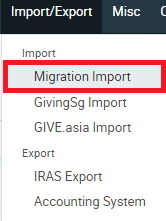
Click on the Import/Export Button found on the top
Step 2
Click on Migration Import
Step 3
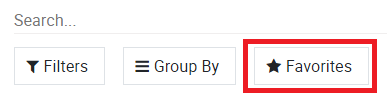
Click on Favourites found below the Search Bar
Step 4
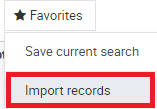
Click on Import Records
Step 5
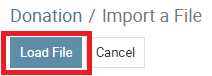
Click on Load File, Locate and select your file

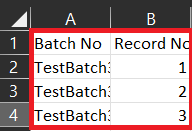
Step 6.1 (Optional)
If Batch No & Record No cannot be found on Ka-Ching, create these 2 columns inside your CSV
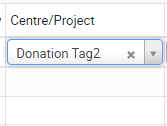
Step 6.2 (Optional)
For data types that do not appear, users can choose to use Donation Tags
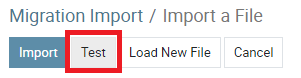
Step 7
Click on test for Ka-Ching to check
for validation in your CSV File
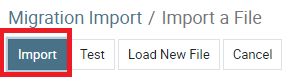
Step 8
Click on Import
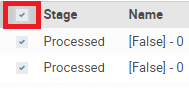
Step 9
Check the box beside Stage to select all data

Step 10
Click on Action button besides Filters
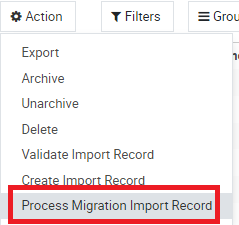
Step 11
Click on Process Migration Import Record

Step 12
Your data has been imported into Ka-Ching under the Donation Tab
GivingSG Import
Step 1
Click on the Import/Export Button found on the top
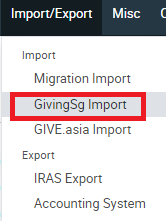
Step 2
Click on GivingSG Import
Step 3
Click on Favourites found below the Search Bar
Step 4
Click on Import Records
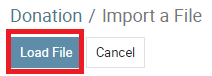
Step 5
Click on Load File, Locate and select your file

Step 6.1
For data types that do not appear, users can choose to use Donation Tags
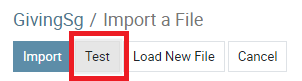
Step 7
Click on test for Ka-Ching to check
for validation in your CSV File
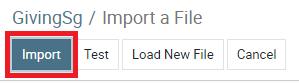
Step 8
Click on Import
Step 9
Check the box beside Stage to select all data
Step 10
Click on Action button besides Filters
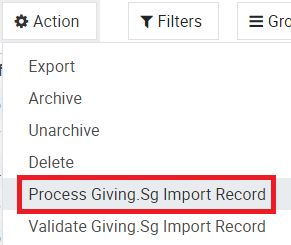
Step 11
Click on Process GivingSG Import Record
Step 12
Your data has been imported into Ka-Ching under the Donation Tab
GiveAsia Import
Step 1
Click on the Import/Export Button found on the top
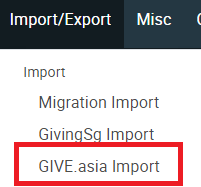
Step 2
Click on GiveAsia Import
Step 3
Click on Favourites found below the Search Bar
Step 4
Click on Import Records
Step 5
Click on Load File, Locate and select your file

Step 6.1
For data types that do not appear, users can choose to use Donation Tags
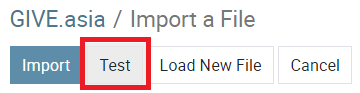
Step 7
Click on test for Ka-Ching to check
for validation in your CSV File
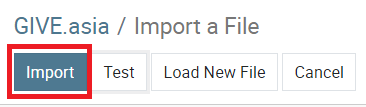
Step 8
Click on Import
Step 9
Check the box beside Stage to select all data
Step 10
Click on Action button besides Filters
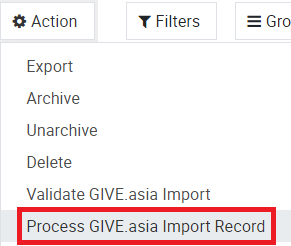
Step 11
Click on Process GiveAsia Import Record
Step 12
Your data has been imported into Ka-Ching under the Donation Tab